Coding is madness.
Here it gets padded walls.
An editor for mobile and full-stack work with the iOS Simulator, Android Emulator, a browser, API, database and Docker inside it. And an agent that knows how to use all of it. Built on Zed, in Rust, with no account and no subscription.
macOS Apple Silicon · Windows (preview) · GPL-3.0
- Rust crates of its own
- 16
- new lines on top of Zed
- ~95k
- released · updates itself
- v2.0
Simulators
Your app running
next to the code.
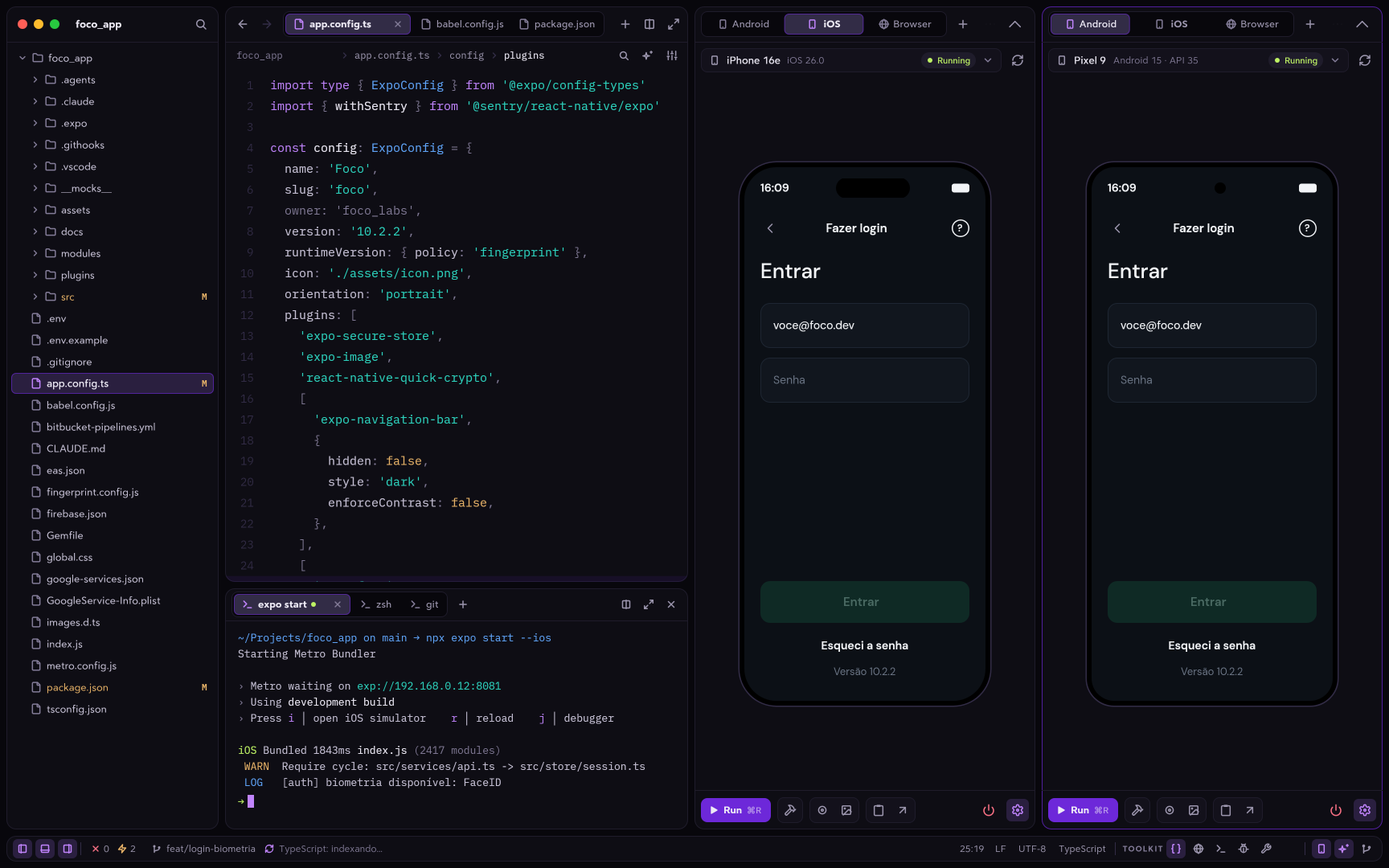
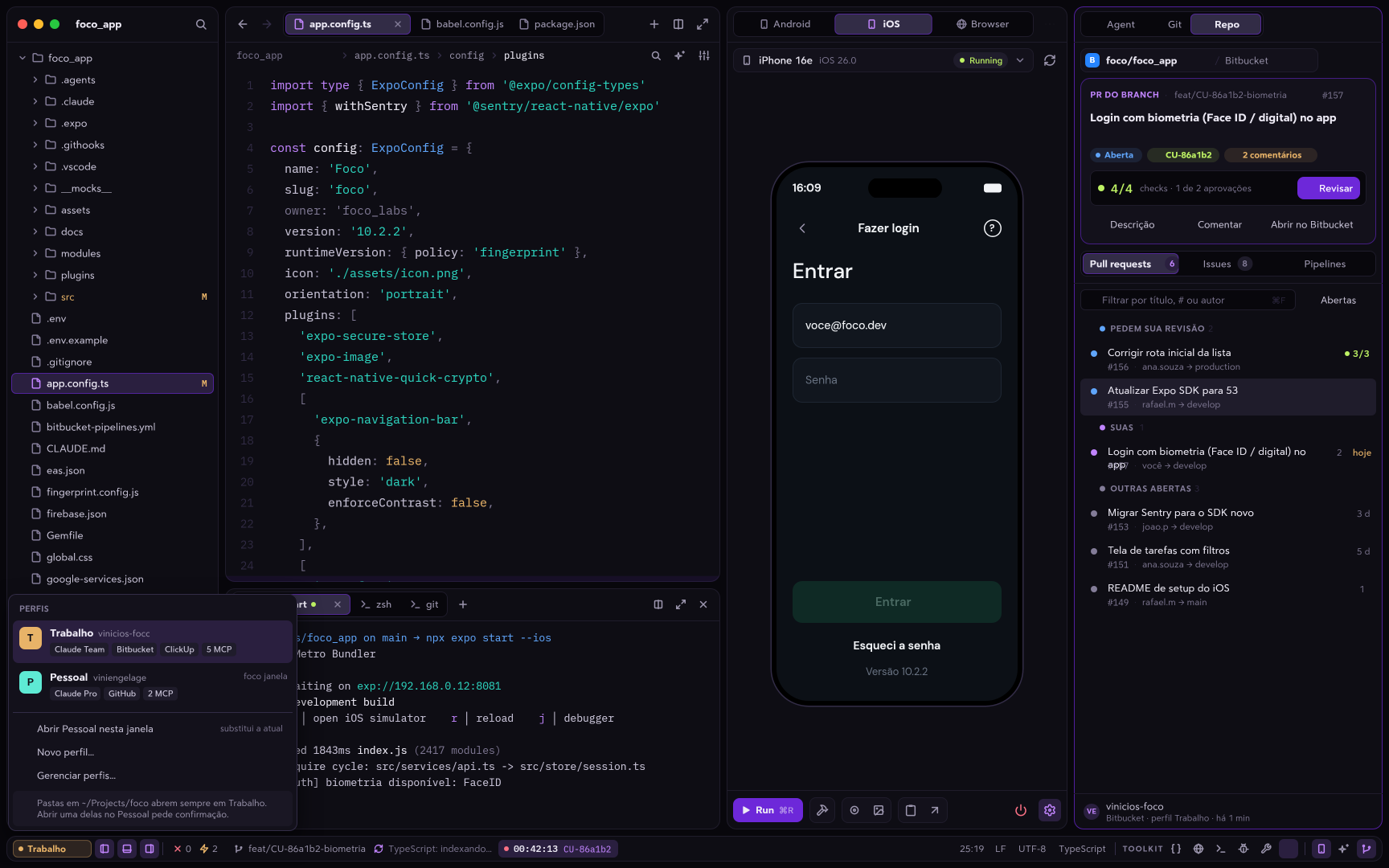
I got tired of jumping between Xcode, Android Studio and the editor. Here the devices live in a tab, side by side, and the agent can drive them too.
Built into the editor
Runs through Apple's SimulatorKit inside an Asylum tab. Pick the runtime and the device, manage simulators and simulate location.
No Android Studio needed
Asylum downloads the JDK, SDK and system images and creates the AVDs for you. Several emulators running at once, in the same panel.
Chromium in a tab
A browser in a workspace tab, with DevTools. It also opens the project's PDFs without leaving the editor.
The agent uses them too
device_tap · device_swipe · device_type · device_screenshot · device_logs · browser_click · browser_console · browser_eval
All in one window
The tools that used to live
in other windows.
Database, API, containers, logs, PRs and tasks become editor docks, and every dock becomes a tool for the agent.
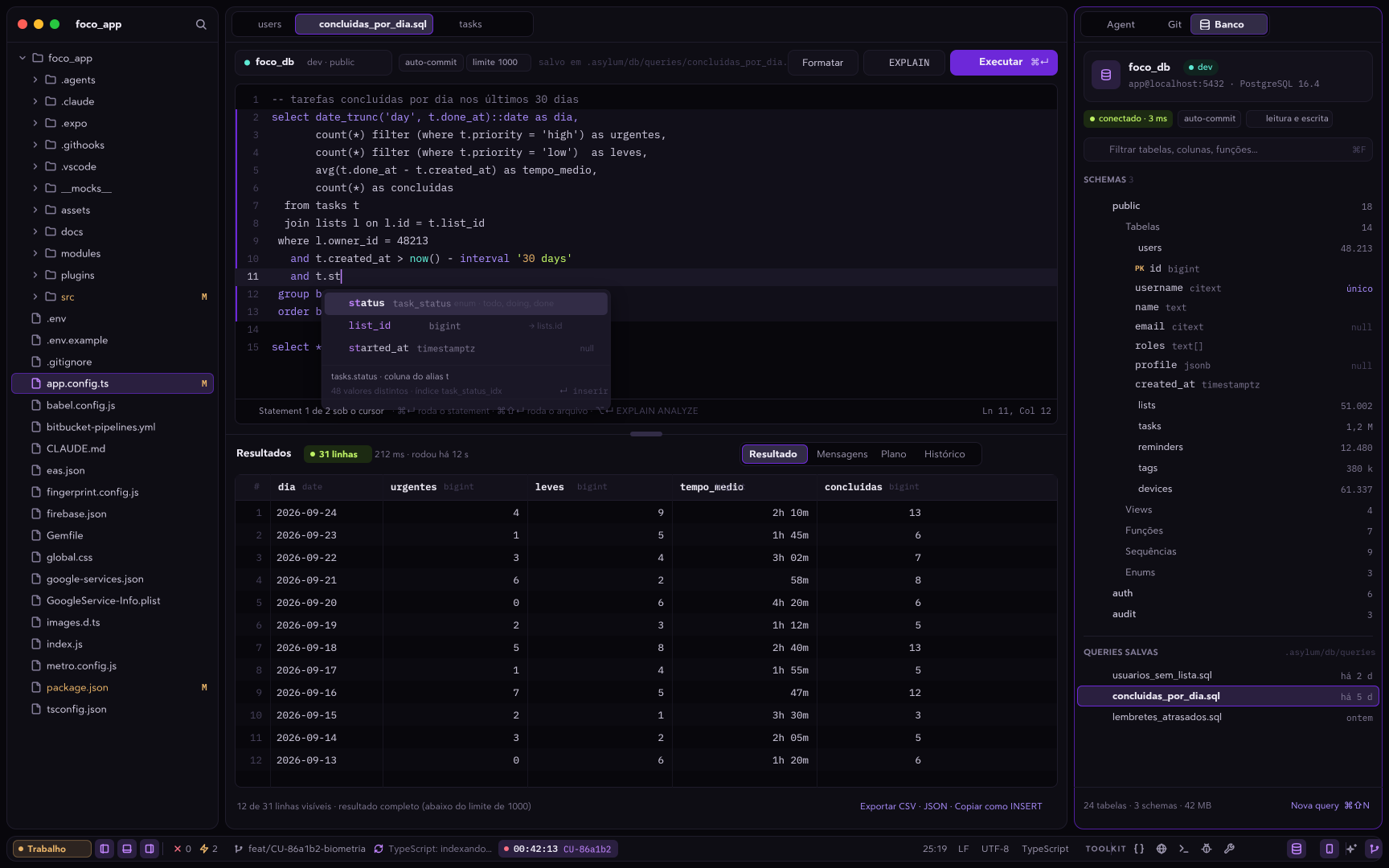
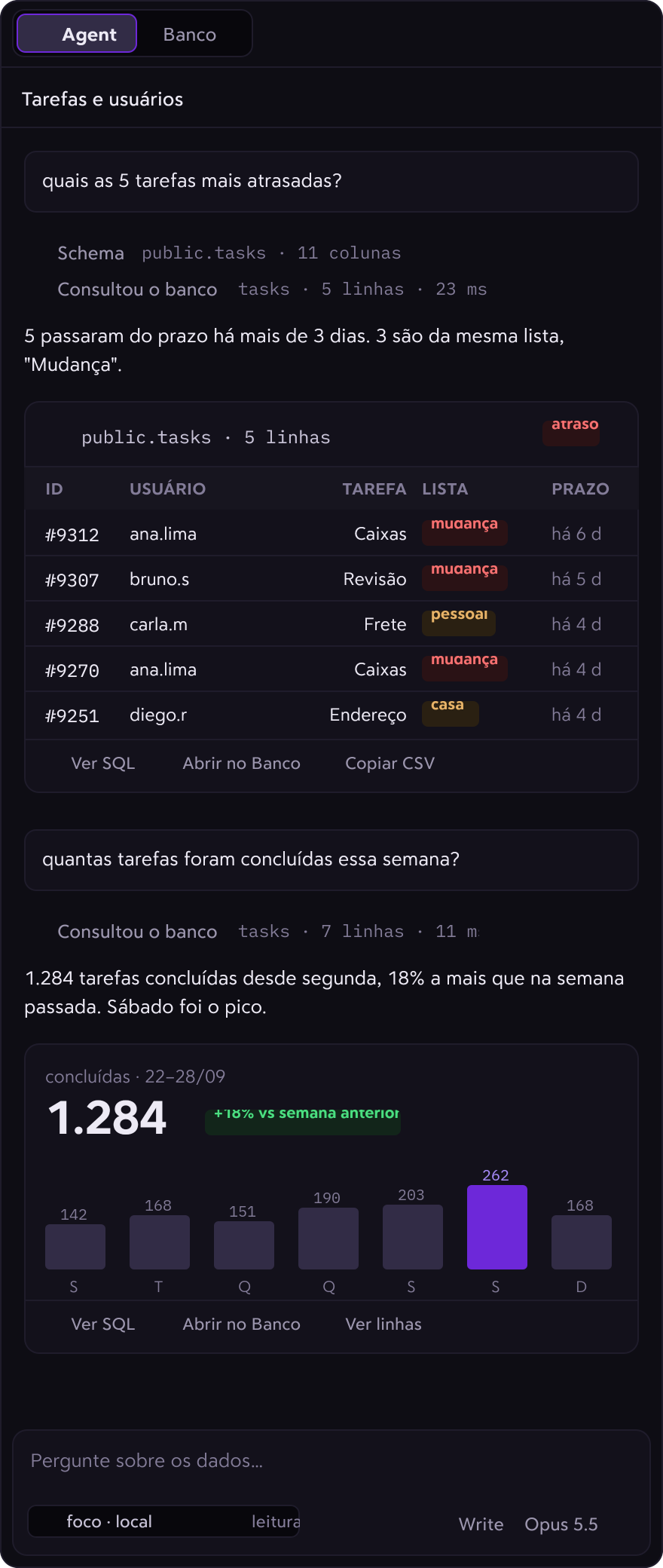
Database · PostgreSQL
SQL with autocomplete and transactional edits
Connect over TLS or an SSH tunnel, browse the catalog tree, page through results. Edit cells and apply everything in one transaction. The agent reads through a read-only connection.
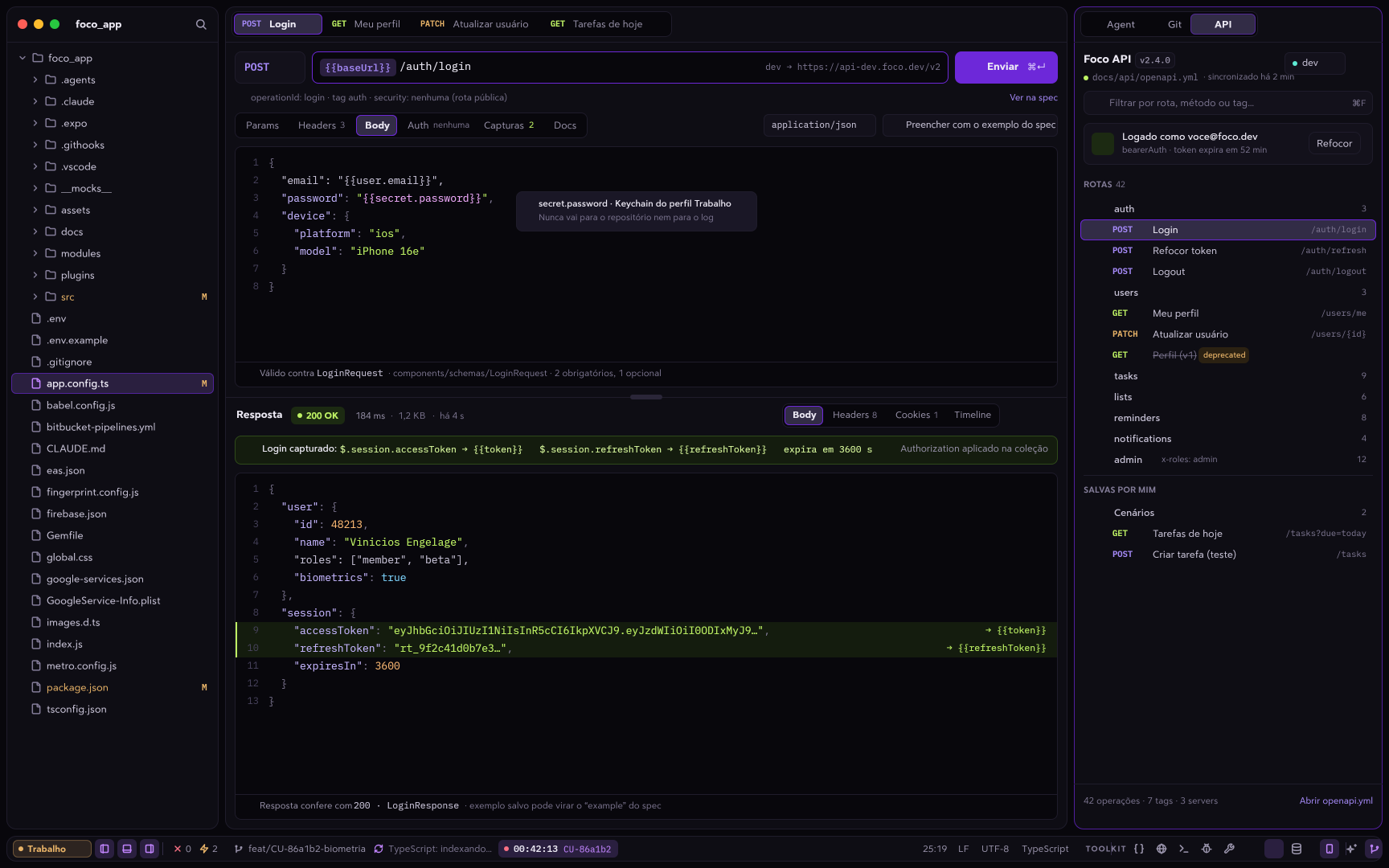
API client · OpenAPI / Swagger
The collection comes from your openapi.yml
Tags become folders, operations become requests, servers become environments and securitySchemes becomes login. Send a request straight from the spec with a code lens.
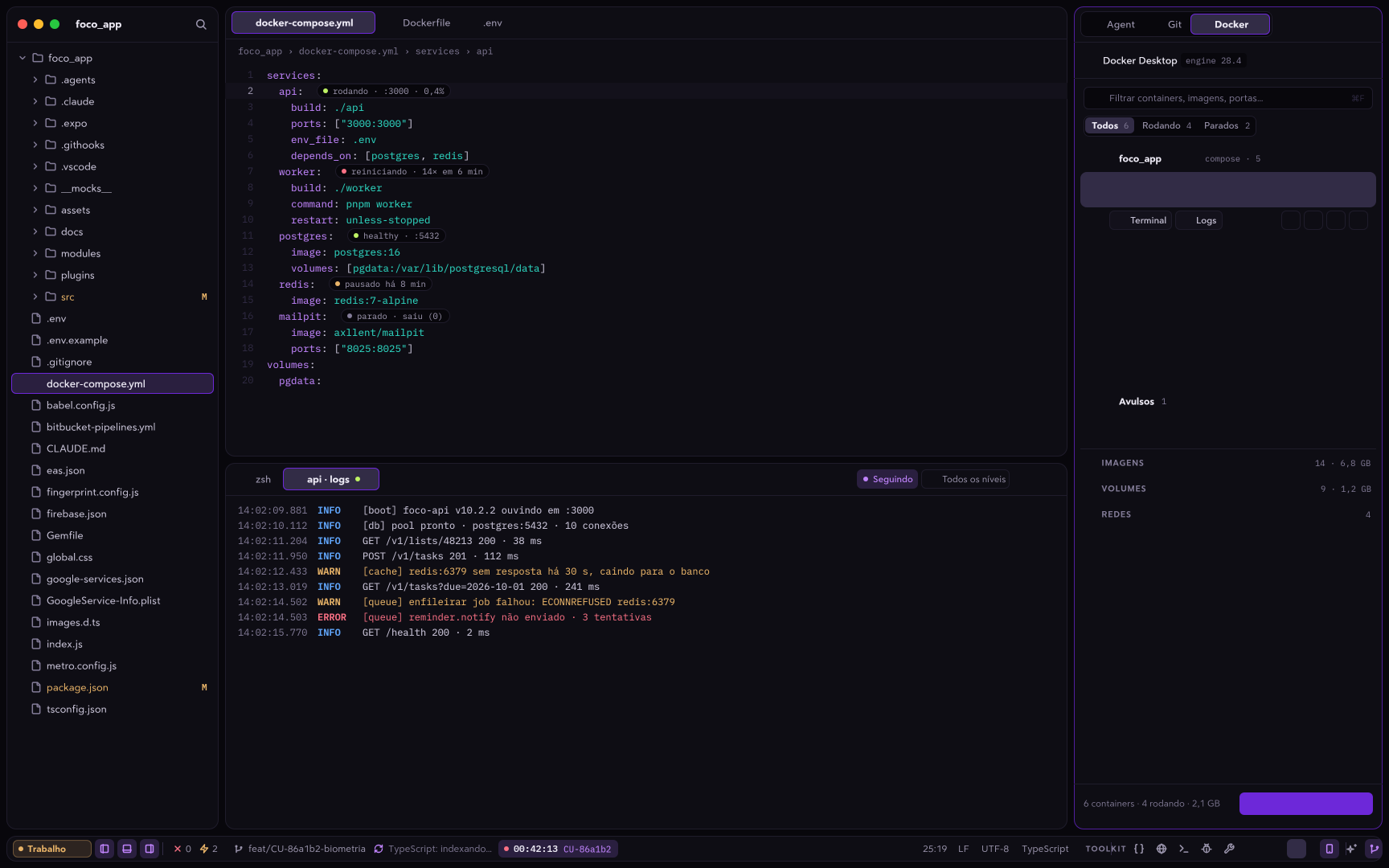
Docker · Compose
Containers grouped by your compose file
Terminal and logs in the middle of the editor, with each service's state marked in docker-compose.yml itself. The agent reads freely, asks before changing anything and never sees your environment variables.
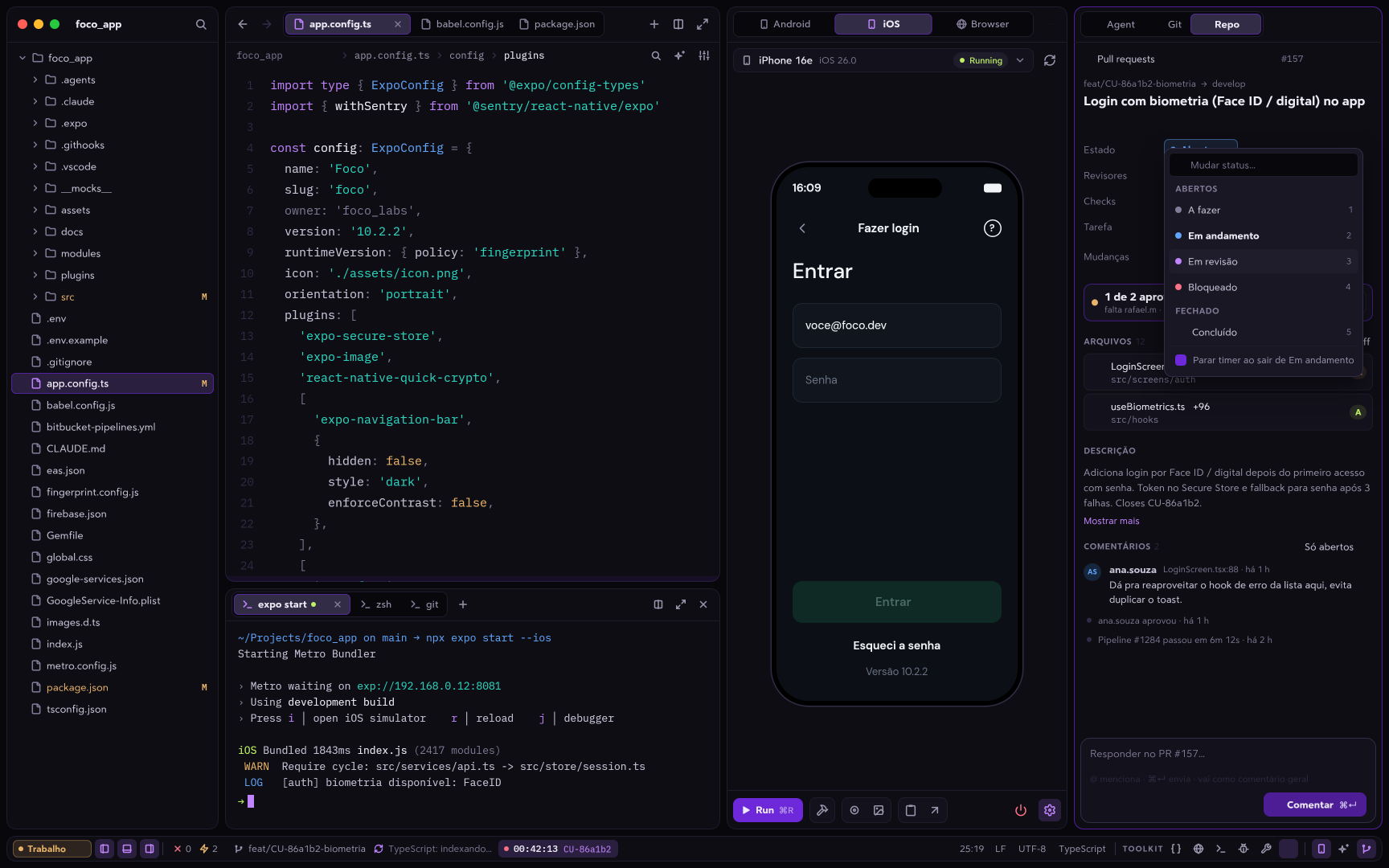
Pull requests · GitHub and Bitbucket
Your branch's PR always on top
Diffs, comments, checks and merge without opening the website. Open a PR while seeing the commits you still have to push, or mention the PR so the agent reviews it.
Elasticsearch
ES|QL logs and APM traces
Live tail of your data streams. The agent queries read-only, with personal data masked.
ClickUp
Your branch's task, with a timer
Your tasks in a dock. Ask the agent to comment, move a task or turn the conversation into a user story.
Settings
Sync through your GitHub
Settings synced to private gists on your own account, with no Asylum server in between.
Interface
Redesigned
piece by piece.
The agent dock, the status bar and the settings were rebuilt from scratch, with 245 icons drawn for Asylum.
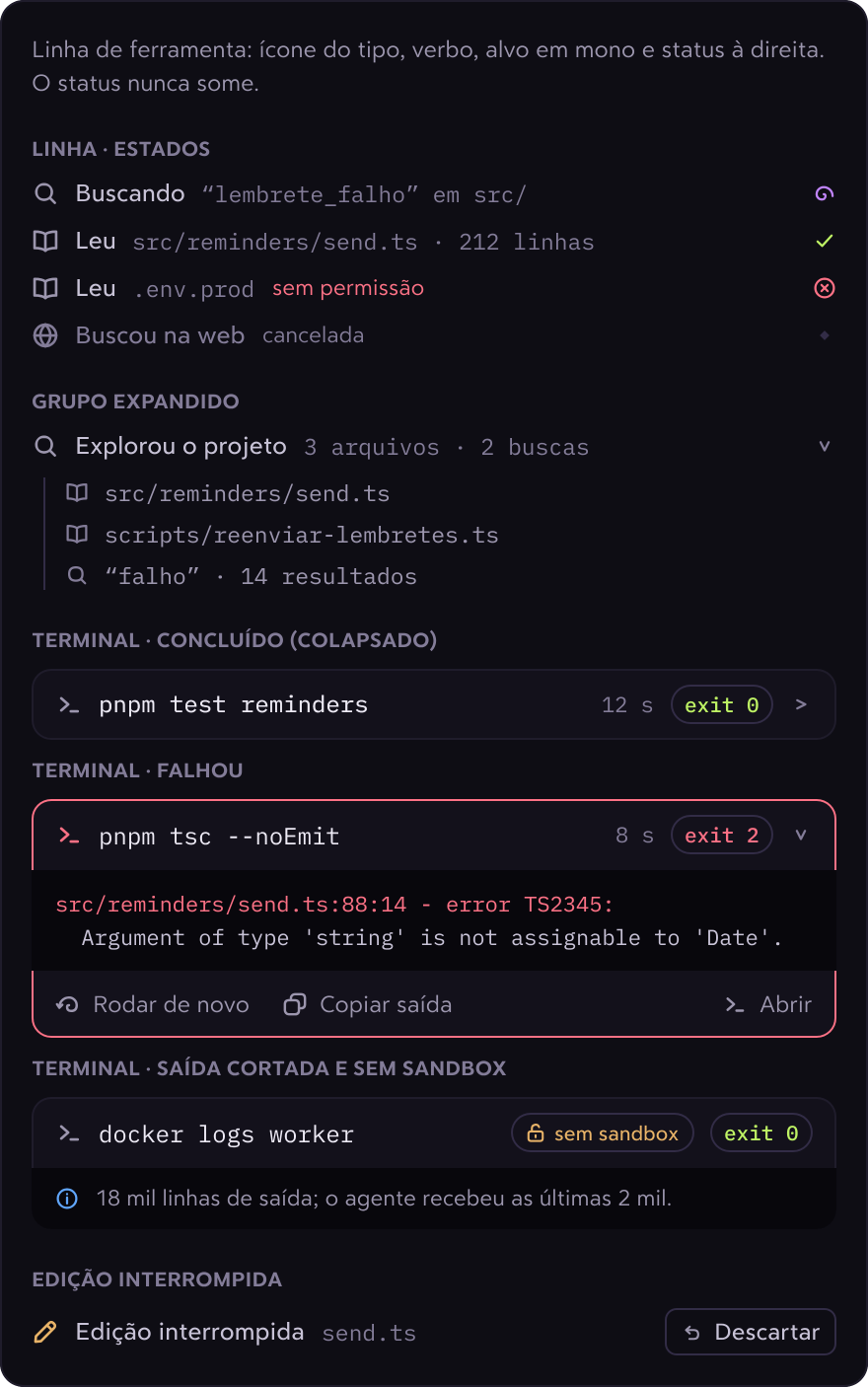
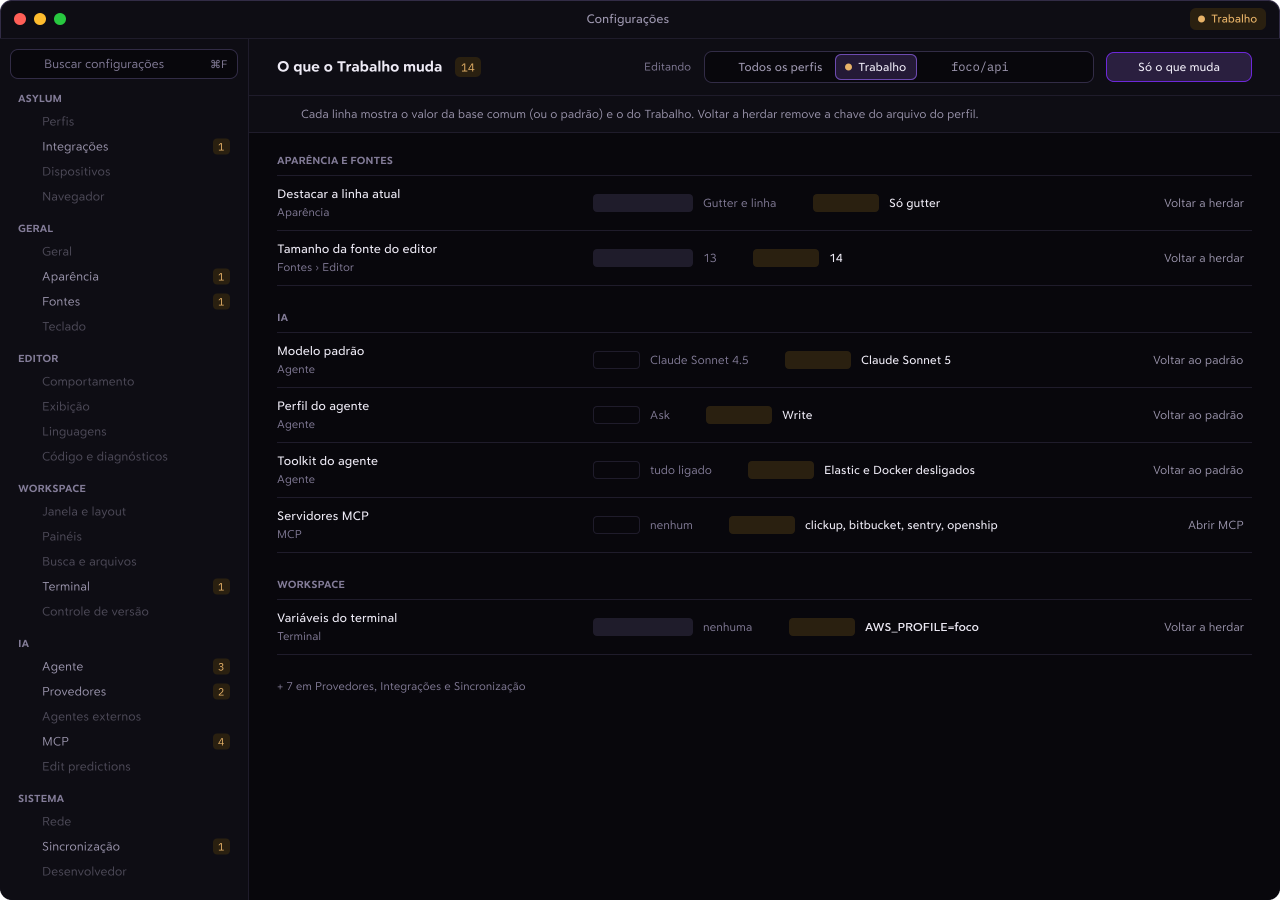
Settings
Every value says where it came from
The window shows which scope you are editing (all profiles, one profile or the project), where each value comes from, and a "Only what changes" filter. It gained Integrations, Devices, Browser and Sync pages.
- docks become tabs, made for ultrawide screens
- the status bar on a single rule, profile in its color
- Polar Dark theme, IBM Plex Sans and Mono
- approvals show the reason and the scope
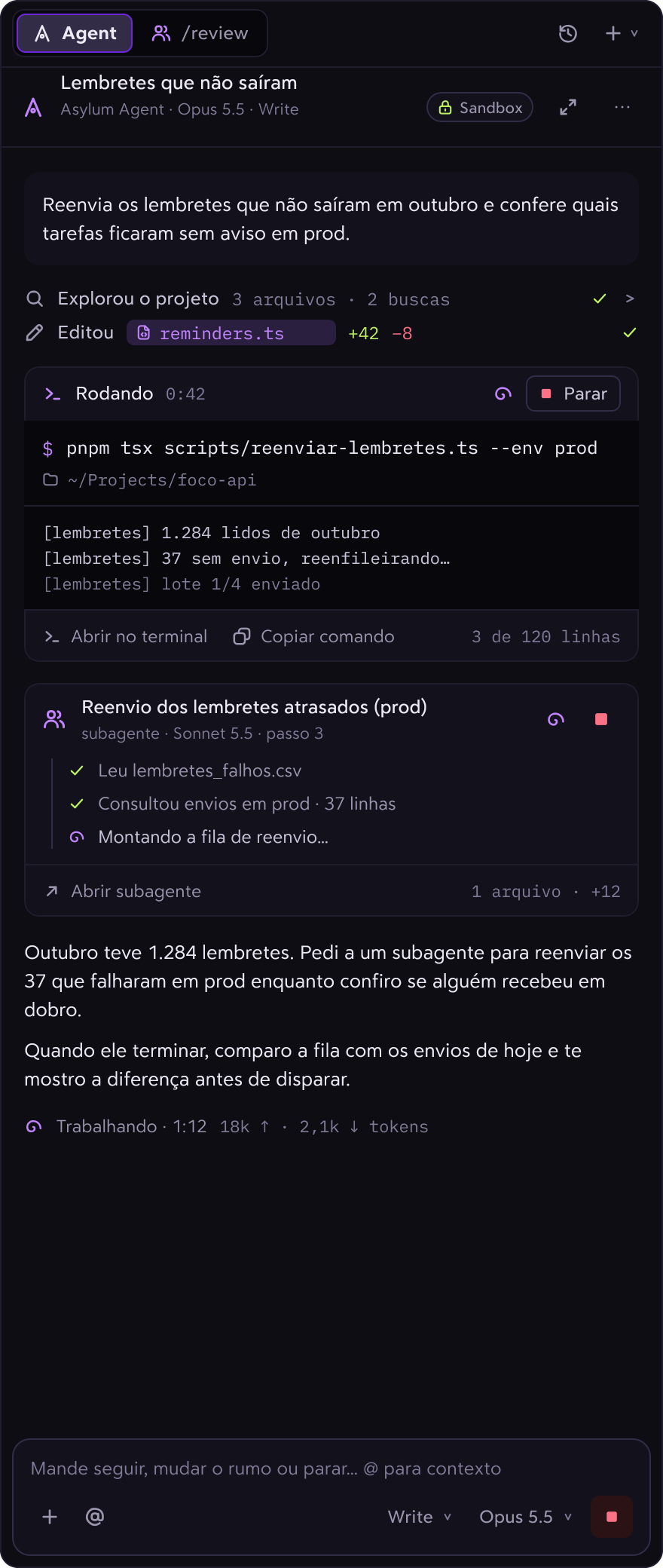
Asylum Agent
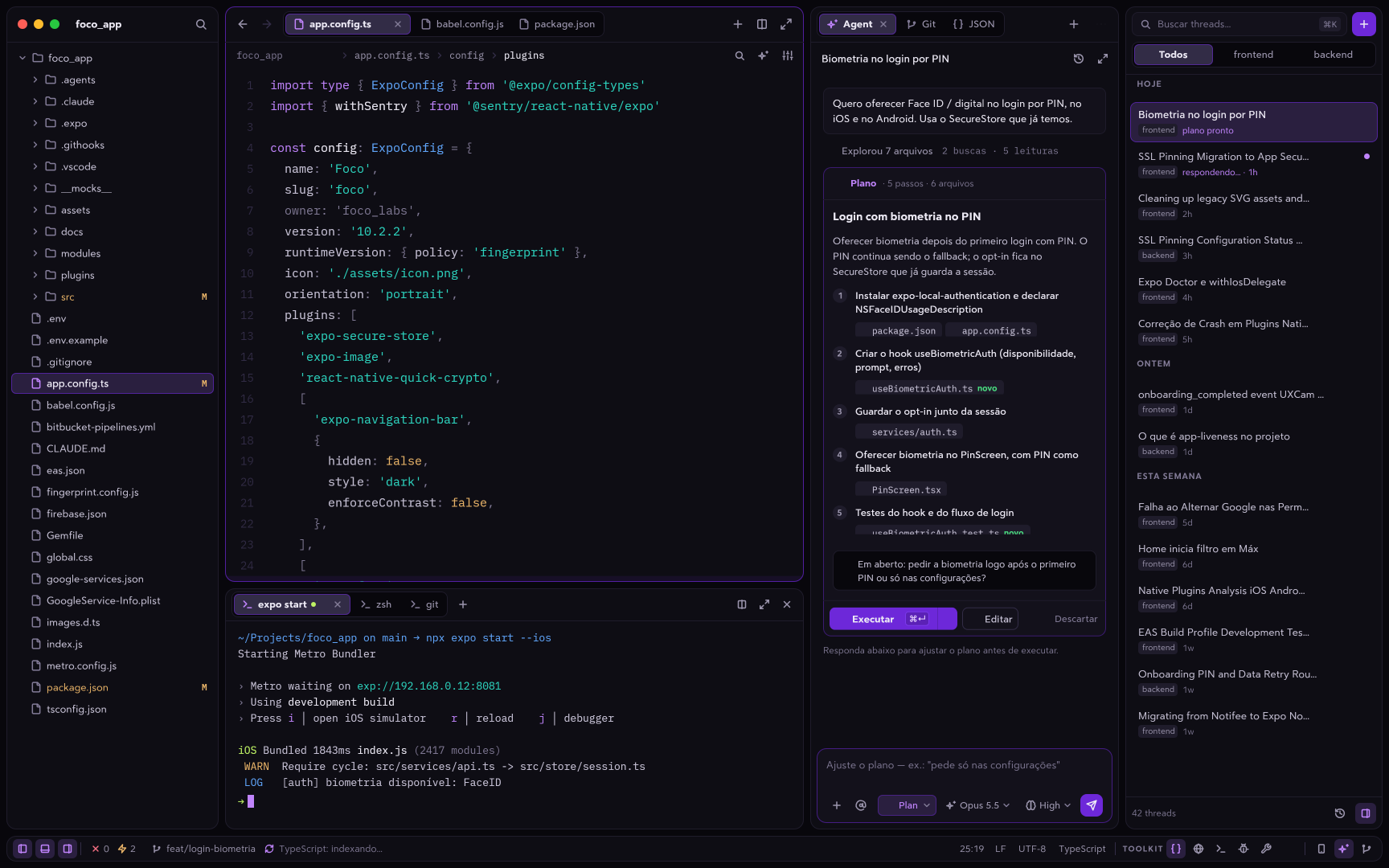
An agent that uses all of it.
It plans, runs subagents, drives the simulators and queries the database. And it spends fewer tokens than before doing it.
Plan mode
A plan before touching the code
It proposes the steps and the files. You edit, approve with ⌘↵ and follow the progress in a card.
Agents and pipelines
Agents per task, chained together
Create agents called with a /command, import Claude Code's subagents and chain everything into pipelines with approval.
Learnings
Memory you approve
What it learns about the project becomes a note you approve, and it goes into every new conversation.
Toolkits
Every dock becomes a tool
Database, API, Docker, PRs, simulators and the browser expose tools to the agent. You turn each toolkit on or off per profile, and every write asks for approval.
Use any model you like
- Claude · subscription via OAuth
- OpenAI
- Gemini
- Ollama
- LM Studio
- OpenRouter
- Mistral
- DeepSeek
- xAI
- Bedrock
- Copilot
- Claude Code and Codex via ACP
- MCP
Fewer tokens, right model
Spends less to do the same.
Before every call, Asylum cuts what doesn't help the agent. And each part of the work goes to the cheapest model that can handle it.
On-demand MCP
~380k
tokens per call, just for schemas
That's what one of my profiles was spending, and half of it came from a single server with 524 tools. Now each server only joins when the agent asks and you approve.
Terminal
Only the output that matters
Build progress, passing tests, git hints and repeated lines are dropped before they reach the model. Errors stay whole, with their start and end.
JSON
Large responses, trimmed
Fetch, MCP and toolkits send the first and last items of each list and anything that looks like an error. You still see the full result.
repo_map
A map instead of reading
One call shows the folders and each file's symbols with their line. Then the agent reads only the part it needs.
the thread shows how many tokens were saved
approved learnings save rediscovering the project
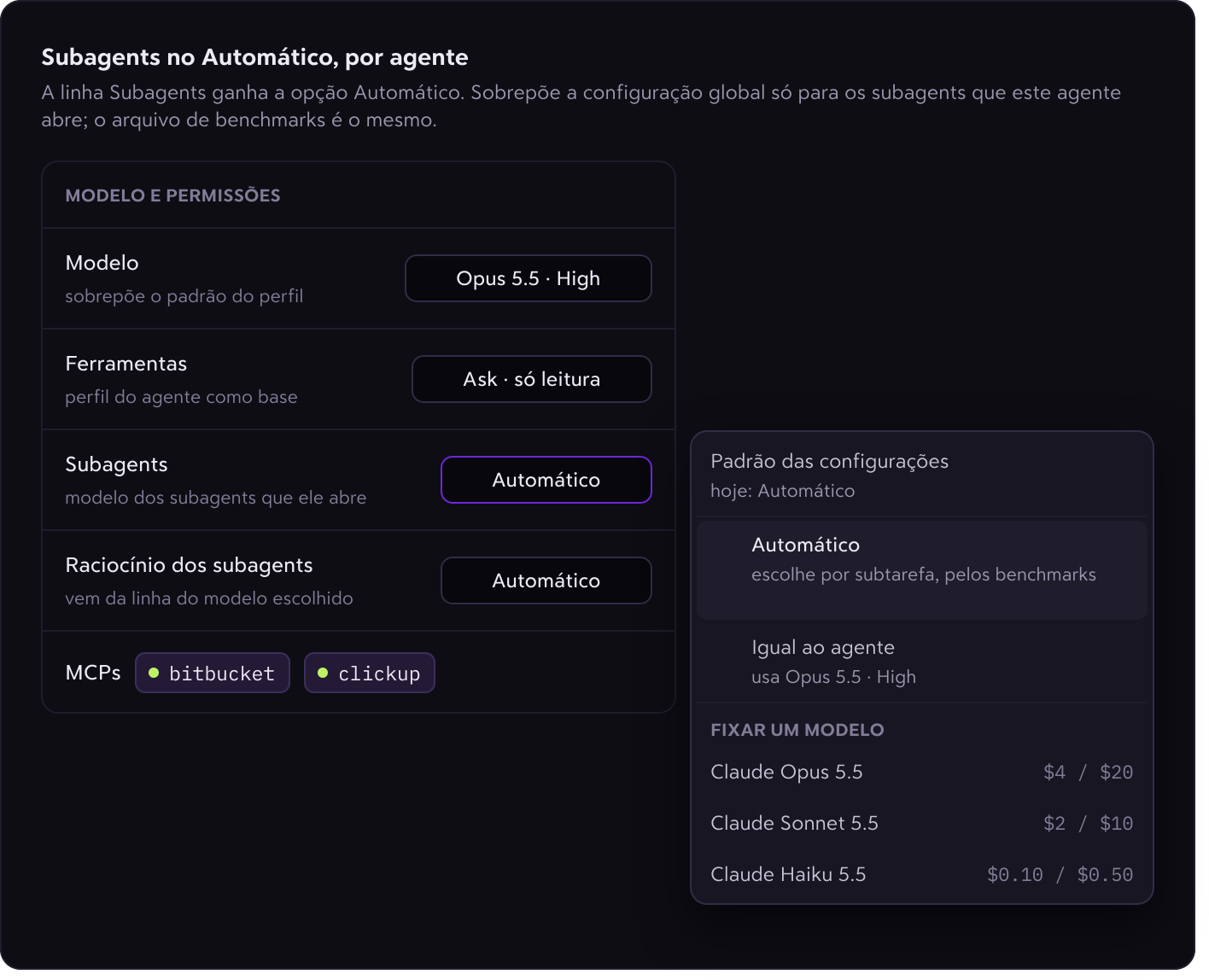
Subagents on Auto
The right model and effort for each subtask
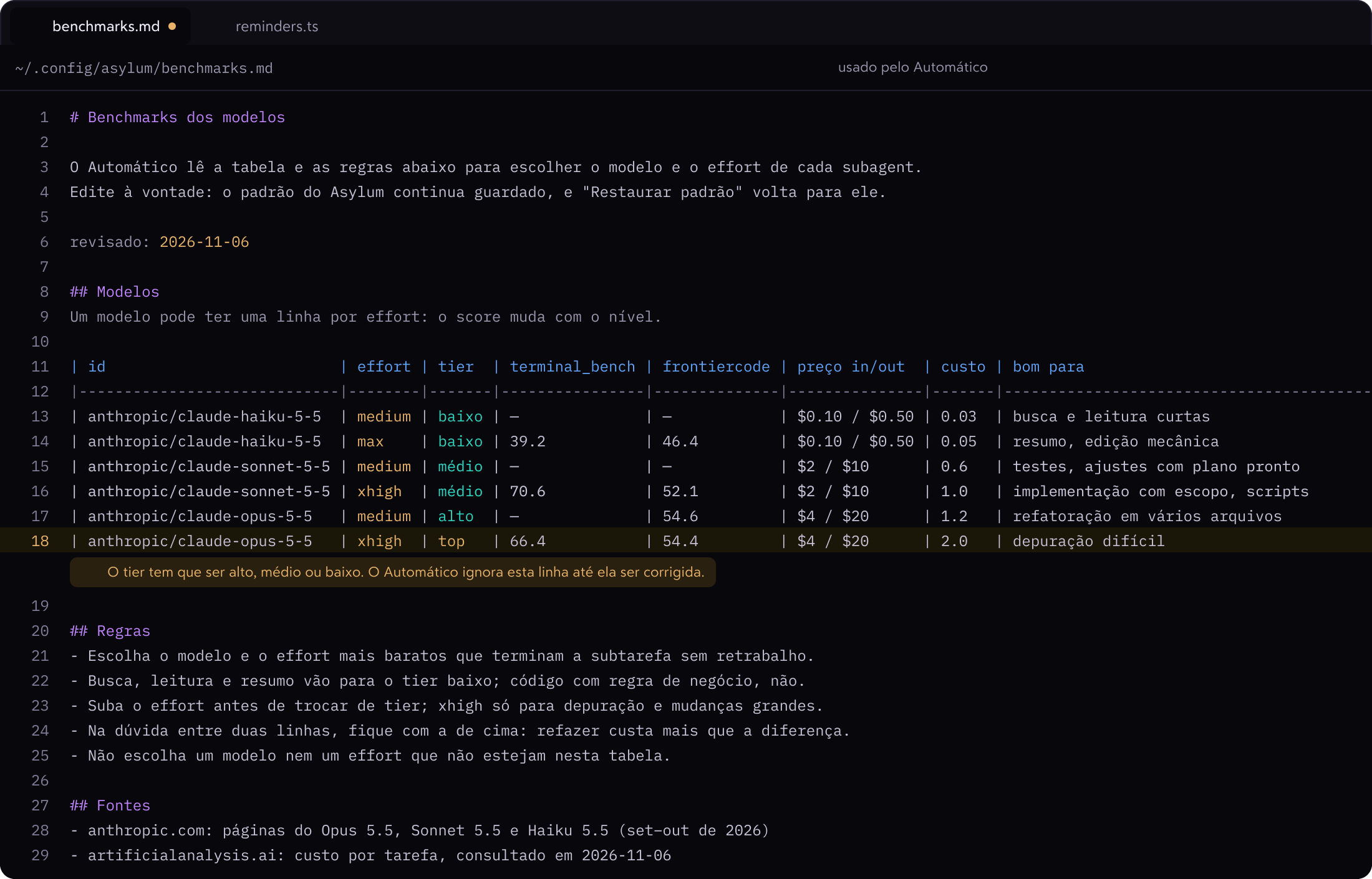
Before opening a subagent, the agent checks benchmarks.md: Terminal-Bench, FrontierCode, price and "good for / avoid for" for each model at each effort level. It picks the cheapest one that gets it done without rework, and the subagent card explains the choice.
- numbers published by the labs, with sources
- editable: project › user › Asylum default
- invalid lines flagged right in the editor
Profiles
Work and personal,
side by side.
Each profile is an isolated instance: its own data, git identity, AI providers, MCP servers, accounts and keychain. Work folders always open in the work profile.
On macOS, each profile gets an icon in its own color in the Dock and in ⌘-Tab.
Open source
Open source, all of it.
No account, no subscription and no server of its own. Everything is on GitHub: read it, build it, open an issue or send a PR.
viniengelage/asylum
GPL-3.0An independent fork of Zed, kept up to date with upstream (currently on Zed 1.27). What makes Zed fast is still there: a GPU-rendered interface, tree-sitter, LSP, multi-buffers and Vim mode.
- GPUI · tree-sitter · LSP
- Rust
- Linux builds from source
- macOS + Win
- no account
- no subscription
- no server of its own
- no remote telemetry
# 1. download the latest version from
# github.com/viniengelage/asylum/releases
# 2. open it and pick a profile
open -a Asylum
asylum ~ $ coding is madnessasylum ~ $ coding is madness
Stop switching windows.
Free and open source. I built it because I was tired of keeping ten windows open to look after a single app.